
Swap
Trade one token for another at the best available rate across all VeChain DEXs.
The main purpose of BetterSwap is of course to swap one token for another token. Since we are an aggregator, we look for the best trading route to give you the best ratio possible.
From
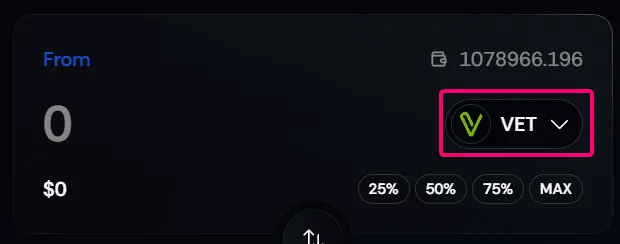
In the From section, you select the token and the amount you want to trade (sell) for another token.
Token selection
Use the token selector at the right to open the token selection dialog. Select the token from the list, or use the search function to find it.
Token input
Select the token input area and type the amount of tokens you want to sell. You can also use the quick selection buttons to automatically input 25% | 50% | 75% | 100% of the available tokens in your wallet.
To remind you about the tokens that you own, we show your balance above the token selector.
Always pay attention to the $ value of your input to prevent user errors.
To
In the To section, you select the token you want to receive (buy) with the other token.
Token selection
Token input
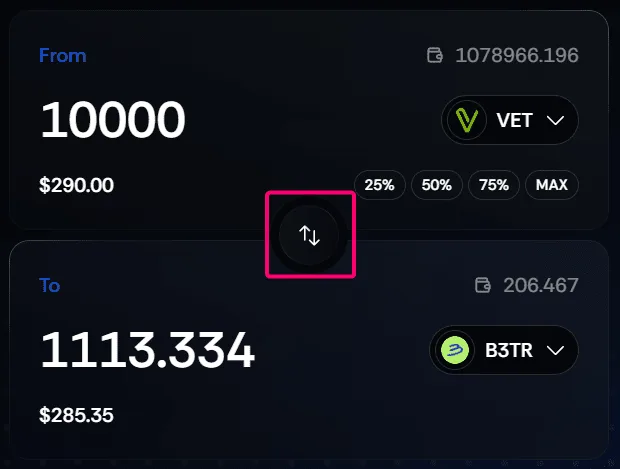
When you use the token input from the From field, the To input will be automatically populated. However, you can also do it the other way around.
Select the token input area, and type the amount of tokens you want to buy. In the example below you can see we first type in the From field — this populates the To field. Then we remove the input and change it to 1000 in the To field, which populates the From field.
Always pay attention to the $ value of your input to prevent user errors.
Use the big round switch button to easily switch the amounts of the From and To input fields. It will use the amount you typed in last. When you typed in 1000 VET in the From field and use the switch button, the 1000 VET will go to the To field (not the auto-populated value).
Swap
When both the From and the To fields are populated, click the big Swap button at the bottom to execute the trade. This will open your wallet software where you'll need to approve the transaction.
Use the Add to Cart feature to split up bigger trades into multiple smaller ones to reduce your price impact. Learn more →
Slippage
In the top right, you can set the maximum slippage. We have default options for 0.1% | 0.5% | 1.0% and a custom option.
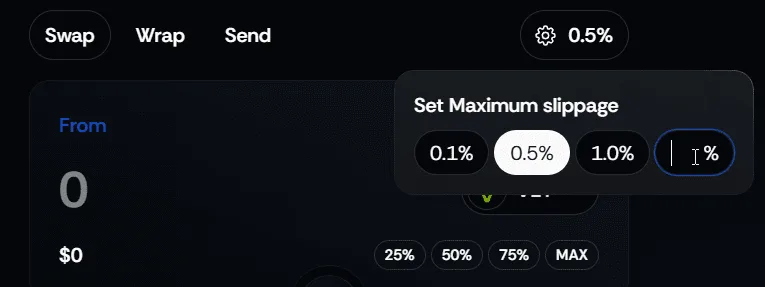
What is slippage? Slippage on a decentralized exchange (DEX) refers to the difference between the expected price of a trade and the actual price at which the trade is executed. This typically happens due to market volatility and liquidity constraints.
When using the cart feature, make sure to allow for a higher maximum slippage, or the transaction simulation will show it as red (reverted) in the cart dialog window.
Route
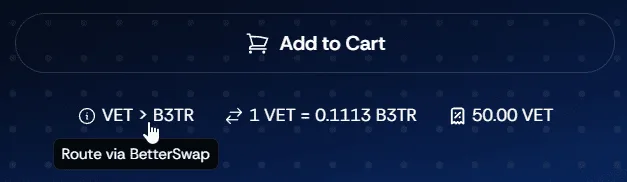
Below the Add to Cart button you'll find some additional information regarding your swap. When you hover on one of the three options, you'll see some additional information.
The route will preview the route the token swap will use to make the trade possible. Since we are an aggregator, the route could go via any DEX on VeChain, even multiple on the same trade!
Price Impact
Price impact refers to the change in the market price of a token caused by the execution of your trade. It is directly related to liquidity and trade size — larger trades relative to available liquidity will result in higher price impact.
On BetterSwap, we visually warn you when the price impact is high:
- Below 5% ⇒ Normal colour
- Between 5% and 10% ⇒ Orange colour
- Above 10% ⇒ Red colour
To limit price impact, we advise splitting up a bigger trade into smaller ones.
Trading Fee
This will show you the trading fee for the swap you are going to perform. BetterSwap takes a 0.5% fee for the aggregator + routing DEX fees. Our aggregator helps you save more than the fees you pay by optimizing trade execution.